Free • Self-serve • Read-only • No call required
MS Cloud Support

Free Microsoft 365 security assessment

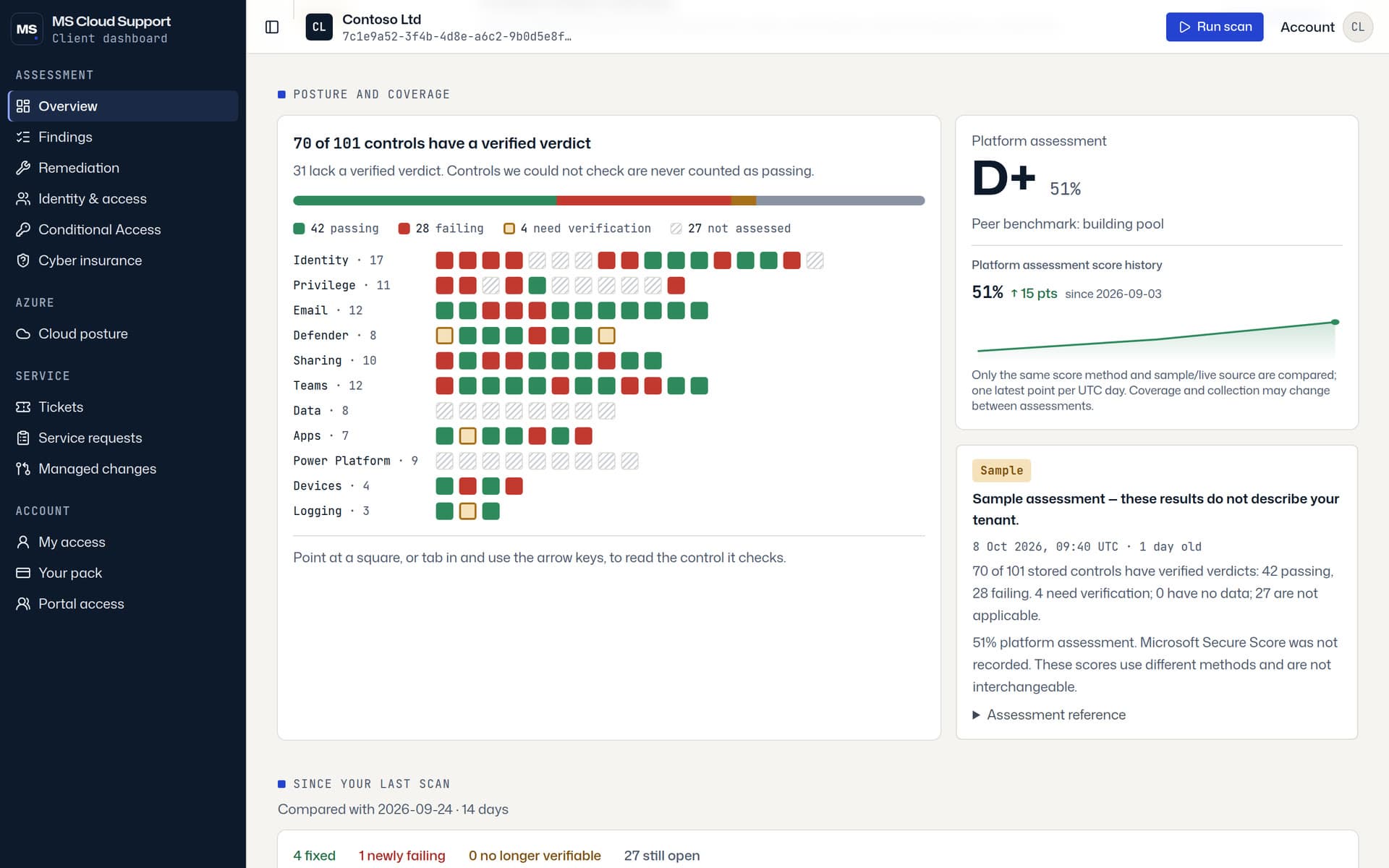
Connect your own tenant with read-only permissions and see your real security posture in minutes. 101 controls, checked against your live configuration, mapped to CIS, CISA ScubaGear and NIST CSF.

We ask so we know who to help if the consent step goes wrong, and so you are not a stranger if you come back. It is not a gate — the next click is Microsoft’s own sign-in, and the assessment is free either way.

You need a Microsoft 365 Global Administrator to approve the read-only consent. You can revoke it yourself at any time.

Why this one is different

Most posture reports flatter you. This one does not.

Three decisions we made that you can check for yourself in the first five minutes of using it.

Free fixes come first

The report opens with what you can fix using the licences you already own, at no extra cost. Anything that needs a bigger licence or paid help is listed separately, after that.

Unverified means unverified

If we cannot measure a control in your tenant, it is reported as not assessed. It is never quietly counted as a pass, and never inflated into a failure to make the report look busy.

Read-only, and revocable

The app reads configuration. It never writes to your tenant. Your Global Administrator grants the consent, and can remove it from the Azure portal at any time without contacting us.

How it works

Four steps, and none of them is a sales call

From the moment you click start to the moment you are looking at findings.

Step 1

Sign in with Microsoft

Tell us who you are, then use your work account. No new password and no software to install.

Step 2

A Global Admin approves consent

Microsoft shows the exact read-only permissions on its own consent screen. Nothing runs until an admin approves it there.

Step 3

The scan runs

We read your tenant configuration through the Microsoft Graph API and evaluate 101 controls against it. Typically a few minutes.

Step 4

Your dashboard appears

Findings, evidence and priorities in the browser, ready to work through or hand to whoever owns the tenant.

Scope

Exactly what we touch

Worth reading before you take this to whoever owns your tenant. It is the question they will ask.

What we read

  • Entra ID configuration: admin roles, guest access, user and group settings
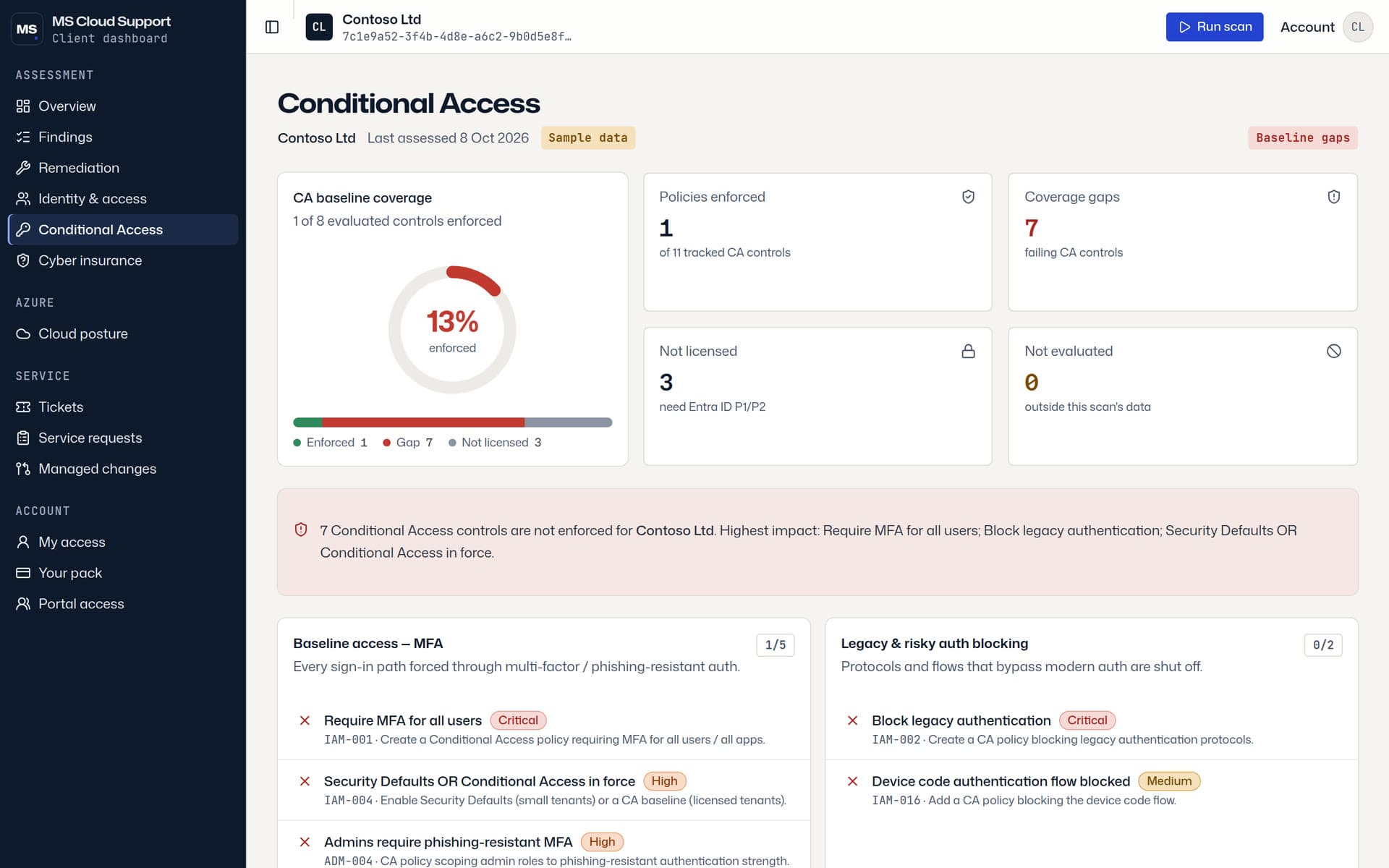
  • Conditional Access and authentication method policies
  • Exchange Online configuration: mail flow rules, external forwarding, anti-spam and anti-phishing settings
  • SharePoint, OneDrive and Teams sharing and external access settings
  • Device compliance and Intune policy configuration, where you are licensed for it
  • Your subscribed licences, so we can tell what you are entitled to switch on

What we never do

  • We do not write to your tenant. No policy is created, changed or deleted.
  • We do not read mailbox content, files, documents, chats or calendar items.
  • We do not read or store passwords, and we never ask for one.
  • We do not install an agent, a script or any software on your devices.
  • We do not need a Global Admin to stay signed in, or standing admin access of any kind.
What you get

A dashboard you can act on the same day

No slide deck, no maturity score with nothing behind it.

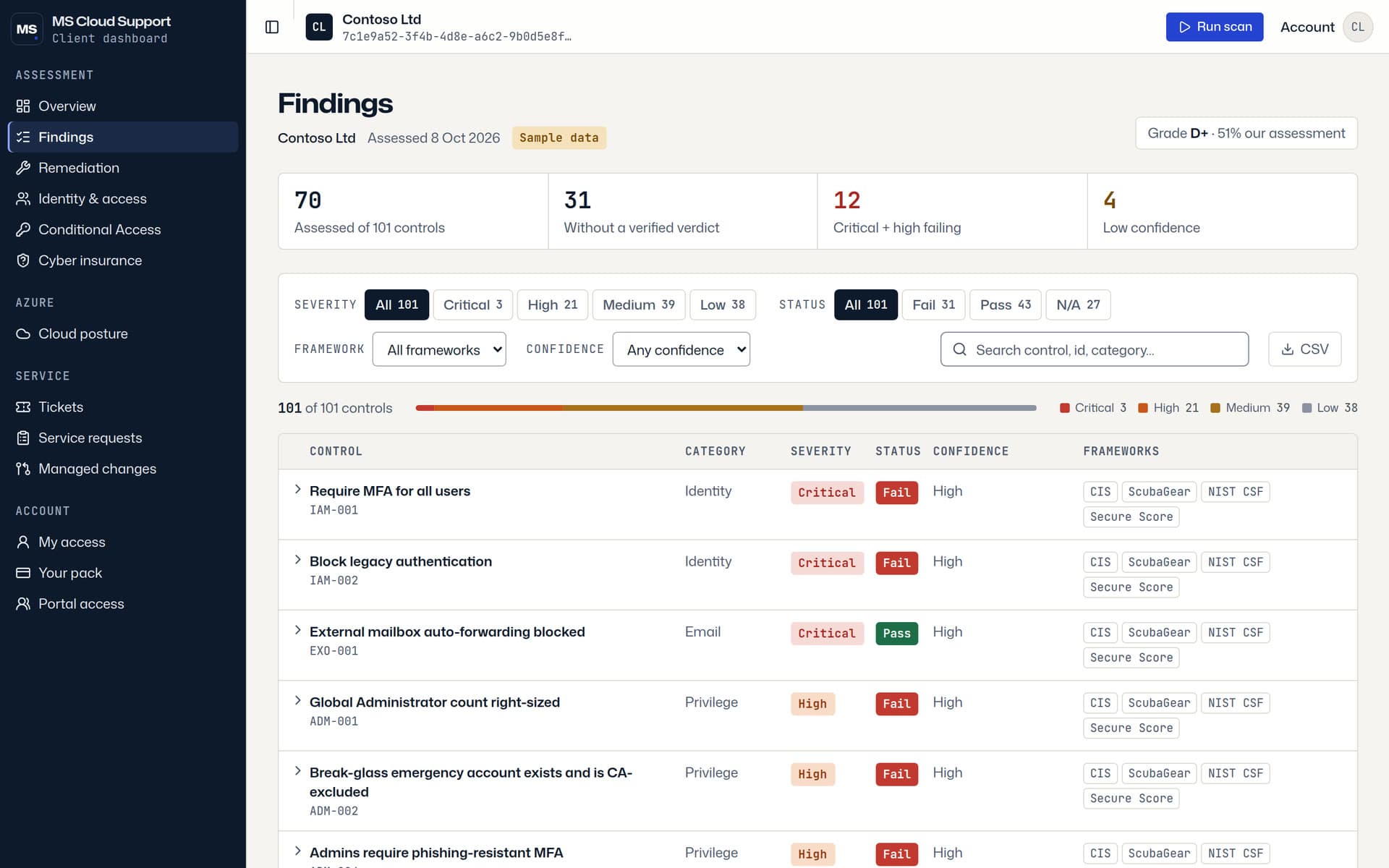
101 controls, checked against your live tenant

Not a questionnaire and not a generic checklist. Each verdict comes from your actual configuration as it stands today.

A confidence grade on every finding

You can see how sure we are of each result and what evidence it came from, so you know which items to act on and which to check first.

Framework mapping

Findings are mapped to CIS, CISA ScubaGear and NIST CSF, which makes the report usable in an audit conversation or an insurance questionnaire.

A prioritised fix list, cheapest first

Ordered by risk, with the changes that cost nothing on your current licences at the top.

What it does not do yet

  • Microsoft 365 only for now. There is no Azure subscription assessment in this tool yet.
  • It reports, it does not remediate. Nothing is changed for you.
  • There is no emailed PDF. The results live in your dashboard, and you can return to them.

Questions people actually ask

Is this safe to run against our production tenant?

Yes. The consent we request is read-only, so there is no code path that can change your configuration. We read settings and policy, never the contents of mailboxes, files or chats. The scan is a series of read calls to the Microsoft Graph API, which is the same API the Microsoft admin centre uses, and it puts no meaningful load on your tenant.

What permissions are we actually granting?

Read-only Microsoft Graph permissions covering directory, policy and service configuration. Microsoft lists every one of them on its own consent screen before your Global Administrator approves, so you are reading the real list from Microsoft rather than taking our word for it. No write permission is requested, and nothing is granted until an admin clicks accept.

How do we revoke access afterwards?

In the Azure portal, go to Microsoft Entra ID, then Enterprise applications, find the MS Cloud Support assessment app, and delete it. That removes the consent immediately. You do not need to ask us, and you do not need to give a reason. If you would also like your assessment results deleted, email contact@mscloudsupport.net and we will remove them.

What if we are not licensed for everything you check?

That is normal, and it is handled honestly. Controls that need a licence you do not hold are marked not assessed rather than counted as failures, so your score is not punished for something you never bought. The report also leads with the improvements available on the licences you already own, which is usually more of the list than people expect.

Who needs to be involved?

One person with the Global Administrator role, for about a minute, to approve the consent. After that, no admin needs to stay involved for you to read the results.

Do we have to become a customer?

No. The assessment is free and self-serve, and there is no call required to get the results. If you want help fixing what it finds, we are happy to talk, but the report is yours either way.

What do you do with our data?

We store the assessment results so your dashboard still works when you come back to it. Those results are configuration findings and evidence, not your business content, because we never read your business content. See our privacy policy for the detail.

Something not covered here? Ask us before you connect anything.

See your posture before someone else finds it

Read-only, revocable, and free. If you would rather have a person walk your tenant with you first, book the 30-minute assessment instead and we will do it together.